
Email for iPhone
Email that reads like texts.
Herald turns every inbox into one chat list. Each person and each company becomes a single conversation, and the greetings, sign-offs and signatures step aside so you see what they actually said.
Free for one inbox. Herald Pro brings up to 12 for $39.99 a year or $4.99 a month, with a 7-day free trial. iPhone with iOS 26 or later.
Herald was previously called Tidings. Same app, new name.
Works with
- Outlook
- Microsoft 365
- Gmail
- Yahoo
- iCloud
- AOL
- Any IMAP
Built like a messaging app
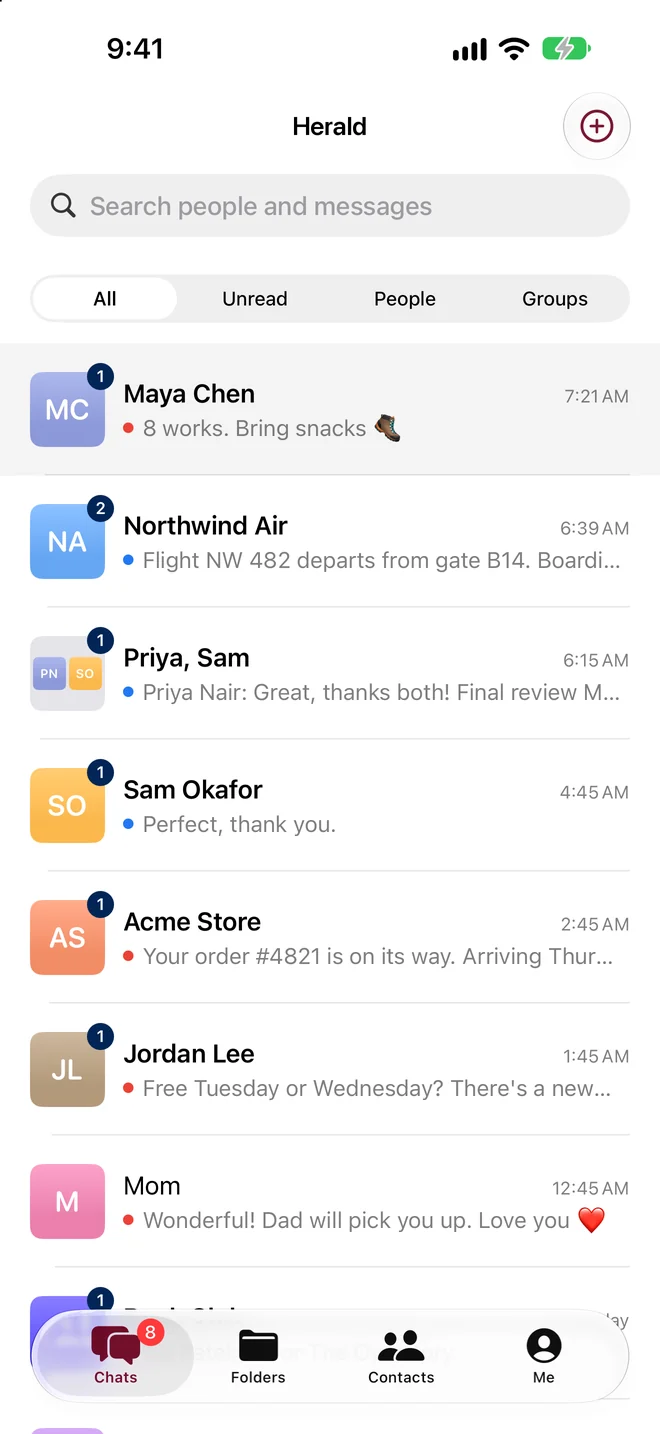
People, not a pile of messages.
Open Herald and you see the people and companies you talk to. New mail from someone you know joins the chat you already have with them.
One chat per person, across every inbox.
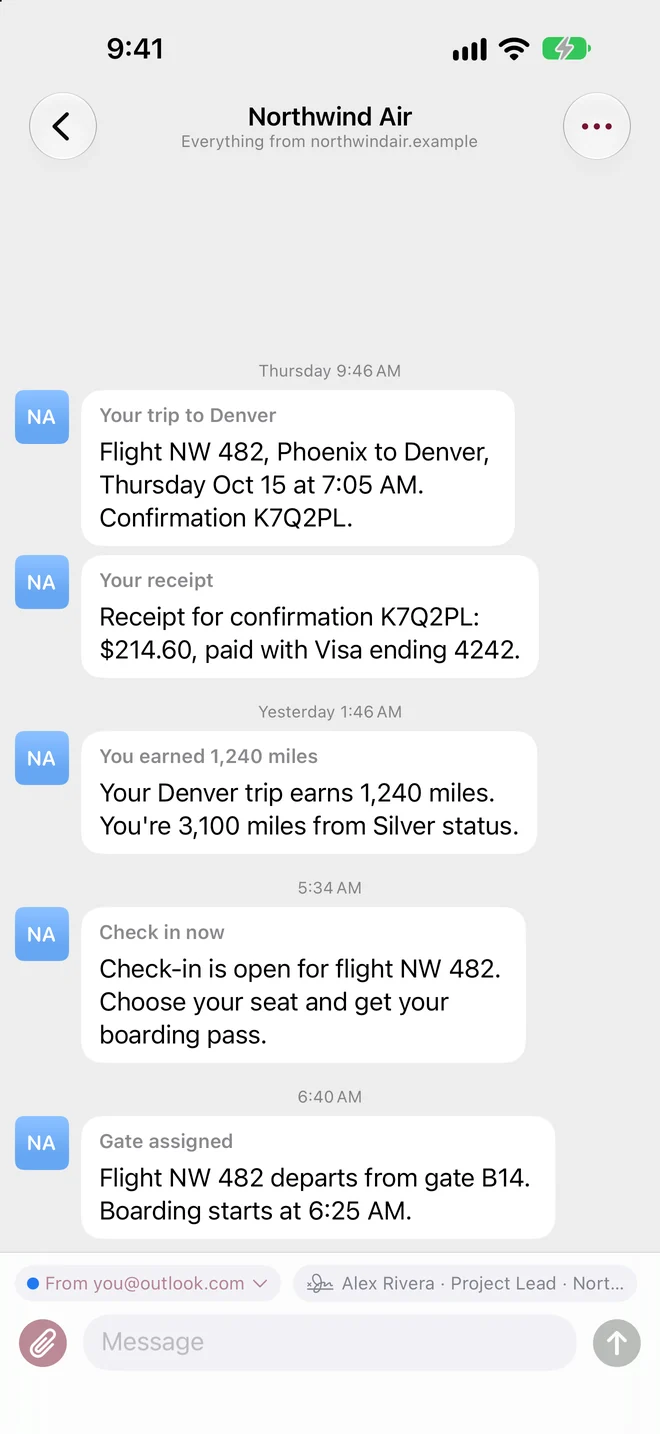
Stop checking four inboxes to follow one conversation. Everything Maya sends is in Maya's chat, whichever of your addresses she wrote to.
- Mail is grouped by sender into one thread per person, across every account.
- Two addresses that belong to one person? Merge them into one chat.
- Mailing lists get their own chat. Notes to self too.
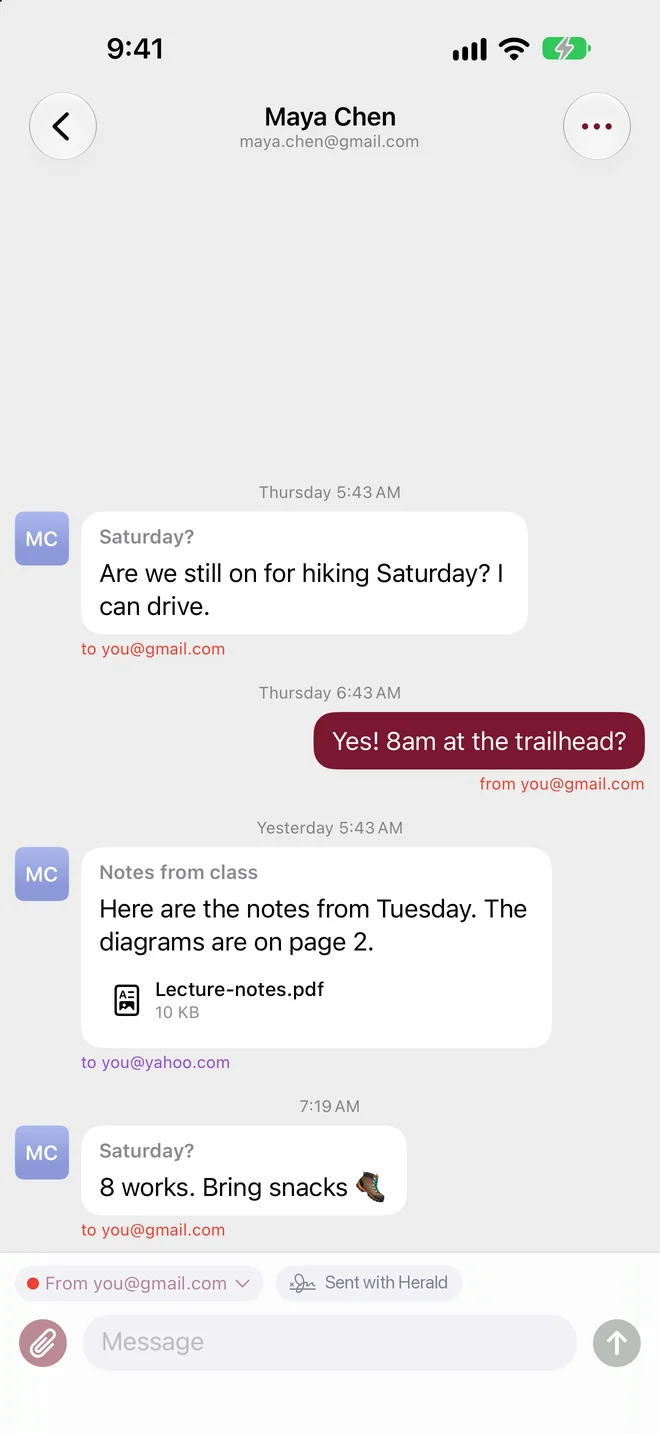
Company threads, named and with their logo.
Your airline becomes one conversation instead of forty separate emails.
- When a company writes from no-reply@, receipts@ and team@, it all shares one chat.
- The chat is named after the company and shows its logo.
- Rather not hear from them? Block the whole company in one step.
Group chats
An email with several people becomes a group chat. Reply to everyone, or pick who gets it.
Replies from the right address
Herald answers from the address that received the email, automatically. Want a different one? Change it with the From menu.
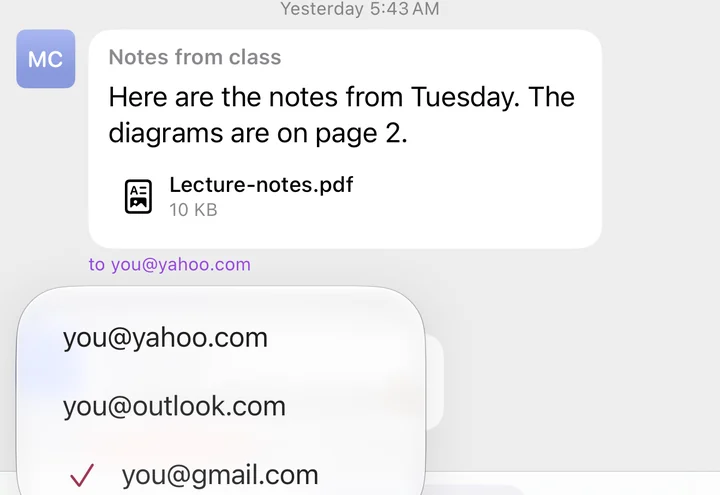
On the other end it's real email: plain text and formatted, threaded correctly, with a copy in your Sent folder, so it looks right in Gmail, Outlook and Apple Mail.
Reads like texts
Every bubble gets to the point.
Greetings, sign-offs, signatures and legal footers are tucked away, so each email reads like a text message. Tap More on a bubble to see them. The full email is never changed.
- On by default. Turn it off any time in Me > Read like texts.
- Other people's signatures are recognized and shown in the chat's info.
- Read the original email whenever you like, fully formatted and fitted to the screen.
Hi Alex,
Hope your week is going well!
Are we still on for hiking Saturday? I can drive.
Thanks so much,
Maya
Maya Chen
Product Designer, Lumen Studio
Sent from my iPhone
This message and any attachments are confidential and intended only for the named recipient.
Yes! 8am at the trailhead?
Tap More to see what Herald tucked away.
Everything in its place
A chat list that keeps itself tidy.
See where mail came from at a glance, filter out the noise, and clear a dozen newsletters in a few taps.
Inbox rings
Each picture wears a ring in the color of the inbox the mail came to, so you know where it landed without opening it. Someone who writes to several of your inboxes gets a ring split into colors.
People and Companies
Filter to real people only, or to the stores, services and newsletters. Groups and Unread are a tap away too.
Pinned chats as circles
The people who matter most sit at the top as large circles, like pinned conversations in Messages.
Select several chats
Long-press, tap Select, and handle a batch at once: mark them read, move them to Inbox, Archive or your own folder, unsubscribe, or delete them together.
One-tap unsubscribe
Instant when the sender supports one-click unsubscribe. Otherwise Herald sends the unsubscribe email for you or opens the sender's page.
Designed emails, as they look
Newsletters and receipts appear in the chat as a picture of the formatted email. Tap to open it in full.
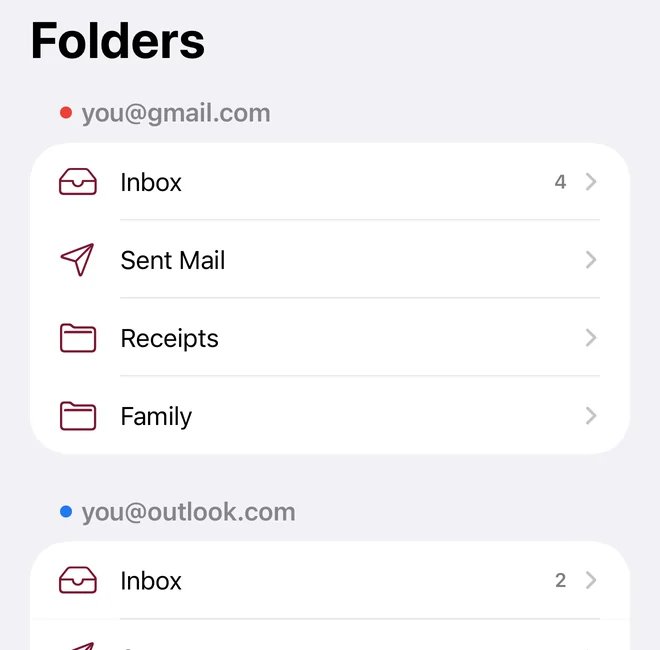
Every folder, one tab
Inbox, Sent, Archive, your own folders and Gmail labels from every account, in one list. Mail filed in folders still shows up in its chat.
Report spam and block
Report Spam moves mail to that account's Spam folder. Block Sender, for one address or a whole company, sends their future mail straight to Spam.
Face ID lock
An optional lock that keeps your mail behind Face ID, so a borrowed phone doesn't mean a read inbox.
- Signatures per account, optional in replies
- Attachments from photos, camera and files
- Photos as thumbnails, files previewed in place
- Search names, addresses and messages
- Pin, mute and hide chats
- Mark read or unread
- Merge two addresses that belong to one person
- Delete to the account's Trash, recoverable
- Notifications for new mail, as often as iOS allows
- A Contacts tab
Works with
Bring every inbox you have.
Mix and match providers. Herald walks you through adding each one, and Herald Pro puts up to 12 in one chat list.
Outlook, Hotmail and Live
Sign in on Microsoft's own page. Nothing else to set up.
Microsoft 365
Work and school accounts too. Some workplaces require an admin to approve new apps.
Gmail and Google Workspace
A Google app password, which needs 2-Step Verification. Herald walks you through it.
Yahoo and AOL
An app password from your account's security page. Herald links to the right page.
iCloud
An app-specific password from your Apple Account. Herald links to the right page.
Any other provider
GoDaddy, Fastmail, Zoho or your company's server. Herald detects many from the address alone.
Privacy
There are no Herald servers.
Herald talks straight to your mail providers. Your mail, attachments and passwords stay on your iPhone and at your provider, so we never see your email.
Locked down on your iPhone
Passwords and sign-in tokens live in the iPhone Keychain. Saved mail is protected by iOS Data Protection and left out of iCloud and computer backups.
No ads, no tracking
The app has no analytics, no ads and no account to create. We don't sell or share data.
Pictures, your call
Pictures load like they do in Mail. Turn on Ask before loading pictures in Me to block them, since pictures can tell senders you opened an email. Scripts never run.
Only two small things leave
Besides your mail traffic: a sender's domain, to fetch company logos (you can turn it off), and the domain of an address you add, to find its mail server.
No account, nothing to sign up for. Read the privacy policy.
Pricing
Free for one inbox. Pro for all of them.
Every feature is in the free version. Herald Pro is for people with more than one inbox.
Free
For one inbox
No subscription, no trial, no account.
- One inbox
- Every feature
- No ads
Herald Pro
Up to 12 inboxes in one chat list
After the 7-day free trial, Apple bills $39.99 a year or $4.99 a month, depending on the plan you pick, until you cancel.
- Up to 12 inboxes in one chat list
- Every feature
- Cancel anytime in iPhone Settings
- Restore Purchases in Me > Plan
Prices in US dollars; the App Store shows your local price before you buy. Purchases go through Apple, and subscriptions renew automatically unless you cancel at least 24 hours before the end of the current period. See the Terms of Use.
"I check about a dozen inboxes. I was sick of email arriving as a pile of separate messages, so I built the email app I wanted: it works like a messaging app."
FAQ
Questions, answered.
Is Herald free?
Yes, for one inbox with every feature. Herald Pro adds up to 12 inboxes for $39.99 a year or $4.99 a month, with a 7-day free trial on either plan.
Wasn't this app called Tidings?
Yes. Herald was previously called Tidings. It's the same app from the same company with a new name. A herald is the king's messenger, which suits an app whose mascot wears a crown.
Which devices does it run on?
iPhone with iOS 26 or later. There's no iPad, Mac or Android app yet.
Can you read my email?
No. There are no Herald servers. Your mail, attachments and passwords stay on your iPhone and at your mail provider, and there's no account to create.
What do people see when I reply?
A normal email, plain text and formatted, threaded correctly and sent from the address that received their message. A copy goes in your Sent folder, so it looks right in Gmail, Outlook and Apple Mail.
Does Read like texts change my email?
No. It only tucks greetings, sign-offs, signatures and legal footers out of the way in the chat. Tap More on a bubble to see them, or open the original email. You can turn it off in Me > Read like texts.
How quickly do notifications arrive?
Herald checks for new mail in the background as often as iOS allows, so timing varies. The support page has tips if notifications seem slow.
How do I add Gmail?
With a Google app password, which needs 2-Step Verification turned on. Herald walks you through it, and the support page has the steps.
My work Microsoft 365 account won't connect.
Some workplaces require an admin to approve new apps before anyone can sign in with them. Ask your IT admin to approve Herald. More on Microsoft accounts.
Does Herald use AI on my mail?
No. Herald has no AI features.
How do I cancel Herald Pro?
In iPhone Settings, tap your name, then Subscriptions. Cancel at least 24 hours before the renewal date to avoid the next charge.
How do I remove my data?
Remove each account in Me, which deletes its mail, settings and saved password from your iPhone, then delete the app if you like. Herald keeps nothing anywhere else. Your mail stays with your provider as before.
All your inboxes, one chat app.
Free for one inbox. iPhone with iOS 26 or later.